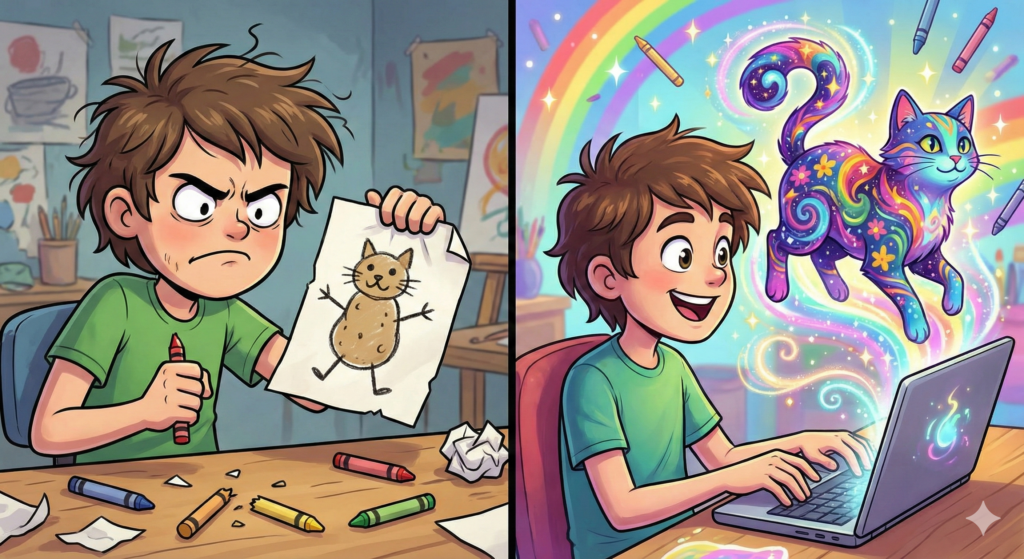
I have a confession. I cannot draw.
If you asked me to draw a dog, it would look like a toaster with legs. For years, I watched my artist friends create beautiful paintings and felt jealous. I had so many ideas in my head like cool t-shirt designs, funny posters, beautiful patterns but my hands couldn’t make them real.
I thought the door to the “Art World” was locked for me.
But then, 2025 happened. The AI arrived. And they brought paintbrushes.
I discovered AI Art Generators. Suddenly, I didn’t need to know how to hold a pencil. I just needed to know how to use words. I typed “A cyberpunk cat eating ramen in Tokyo,” and within 60 seconds, a masterpiece appeared.
I printed it on a t-shirt. I wore it. And when someone asked, “Who made that?” I smiled and said, “I did.”
Before we get to the AI, let’s explain the business model.
Print on Demand is the best friend of the lazy entrepreneur (like me).
- You create a design (using AI).
- You upload it to a site like Redbubble or Printful.
- You list it for sale on a t-shirt, mug or phone case.
- The Magic Part: When a customer buys it, the company prints it, packs it and ships it.
You never touch a t-shirt. You never buy inventory. You just supply the art.
You don’t need expensive software. You just need an AI generator. Here are the big ones:
1. Midjourney (The Artistic Genius)
This is currently the king of beautiful art. It lives inside an app called Discord.
- Pros: The images look incredible. They look like real paintings or high-end photos.
- Cons: It costs a monthly fee (usually around $10-$30). It takes a little practice to learn the commands.
2. DALL-E 3 (The Easy One)
This is built into ChatGPT (the Plus version).
- Pros: It is super easy to talk to. You just say, “Make me a funny picture of a taco,” and it listens.
- Cons: Sometimes the style is a little “cartoony.”
3. Kittl (The Designer)
This is a tool specifically for t-shirts. It has AI built-in, but it also has fonts and templates.
- Pros: Perfect for adding text to your AI art (because AI is usually bad at spelling).
So, how do you actually do it? Here is my workflow.
Step 1: The Idea Don’t just make “cool art.” Make art for someone.
- Idea: “I want to make a coffee mug for exhausted dads.”
Step 2: The Prompt Go to Midjourney or DALL-E.
- Type: “A cute, tired owl holding a giant coffee cup, wearing a hat, watercolour style, white background.”
Step 3: The Upscale AI images are sometimes small. To look good on a t-shirt, they need to be big and sharp.
- Use a free “Upscaler” tool (like Upscayl or BigJPG) to make the image 4x bigger without making it blurry.
Step 4: The Clean Up AI sometimes leaves a weird background.
- Use a free “Background Remover” (like Remove.bg) to delete the white box so your owl looks good on a black shirt.
Step 5: Sell It Upload your tired owl to Redbubble. Put it on a mug. Set your price. Done.
Some people get angry about AI art. They say, “You cheated! You didn’t paint that!”
And they are right. I didn’t paint it. But I directed it.
Think of a Movie Director. Does Steven Spielberg hold the camera? Does he sew the costumes? No. He has a vision and he tells the crew what to do. You are the Director. The AI is your camera crew.
The creativity isn’t in the brushstrokes anymore. The creativity is in the Idea.
For the first time in history, the barrier to creating art isn’t “talent.” It is “imagination.”
If you can dream it, you can build it. You can fill your house with art that came from your own brain. You can start a business selling designs that only you could think of.
So, don’t let the “I can’t draw” excuse stop you anymore. The blank canvas is waiting. And this time, you have a magic wand.